AI and Documents: The Quiet Automation Opportunity
Alok Mani · · 7 min read · AI and Automation
Share:
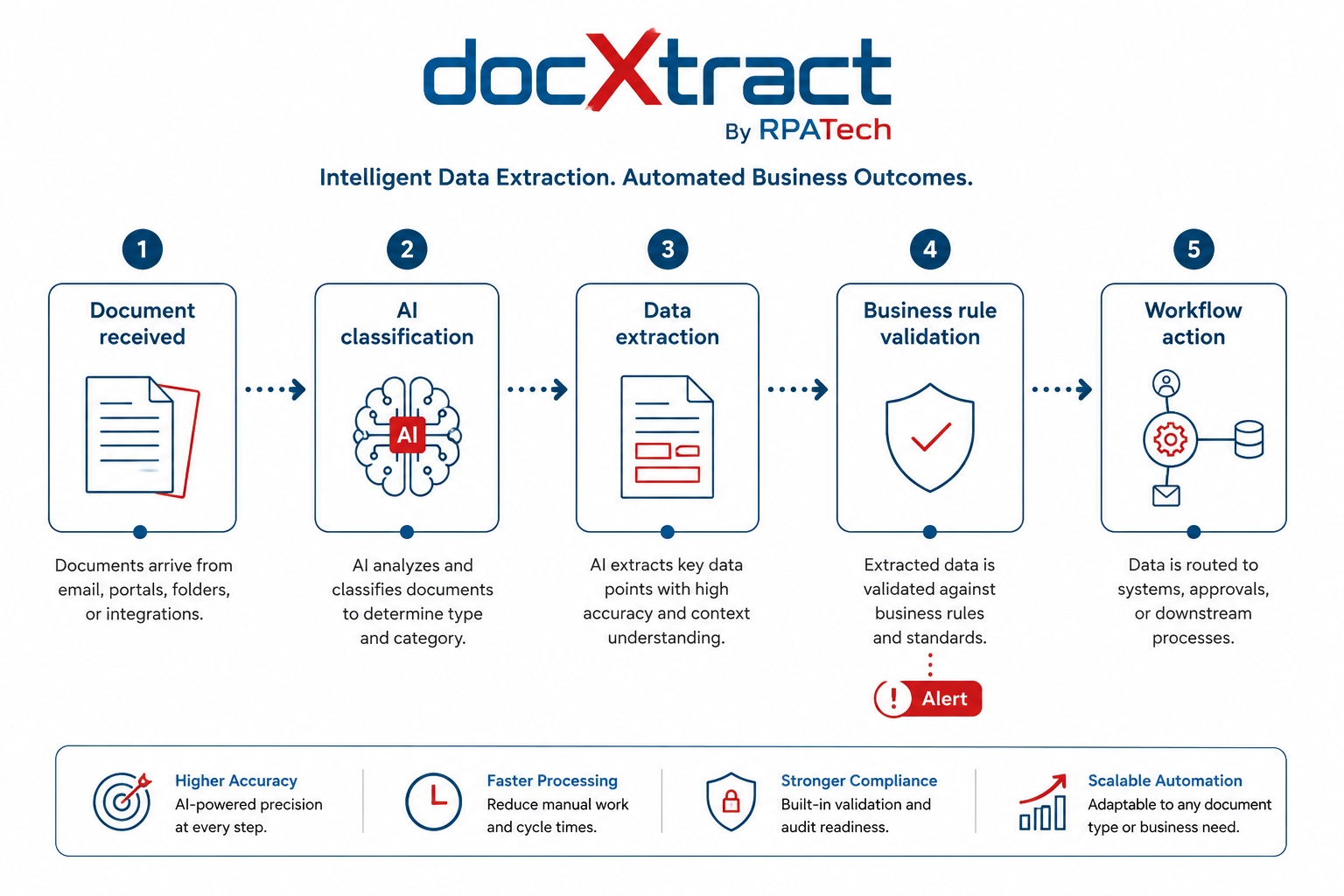 Most companies do not have a document problem on paper. Everything is already "digital." Invoices come as PDFs. KYC forms are scanned. Contracts are emailed. Medical records are uploaded to portals. Purchase orders move through ERP. From the outside, it looks like the paper problem has been solved.
But inside the operation, the story is different.
Someone is still opening the PDF. Someone is still checking the invoice number, GST details, PO amount, tax breakup, vendor name, and approval status. Someone is still comparing one document against another. Someone is still copying data from a file into Excel, ERP, CRM, or a claims system. The paper may have disappeared, but the manual work has not.
This is where AI document intelligence becomes practical. Not as a flashy AI demo, but as a serious operations tool.
The OCR Era and What It Left Unfinished
The older generation of document automation was mostly OCR. It could read text from an image and push it into a system. That was useful, but limited. OCR struggled when formats changed, when tables were messy, when documents had handwritten notes, or when the real work required some judgment. Many teams adopted OCR, but still kept humans in the loop for most of the important checks.
This was not a failure of OCR. OCR was doing exactly what it was built to do: read characters from a page. The problem is that reading characters is not the same as understanding a document.
A human reviewer looking at an invoice does not just read the numbers. They recognize what type of invoice it is, check whether the totals match, spot a duplicate, notice that the vendor name does not match the approved vendor list, and flag the whole thing before it hits the payment queue. That is not reading. That is understanding with context.
AI changes this because it can understand the document, not just read it.
What Intelligent Document Processing Actually Does
A modern AI document processing system can identify whether a document is an invoice, a discharge summary, a purchase order, a contract, or a compliance form, even without a template pre-built for that exact format. It can extract relevant fields from variable layouts. It can compare values across documents. It can flag missing information, unusual amounts, expired dates, duplicate records, or a mismatch between what was approved and what was submitted.
According to McKinsey, nearly 90 percent of companies say they have invested in AI, but fewer than 40 percent report measurable gains. One reason for that gap is exactly this: enterprises are applying AI to discrete tasks rather than redesigning the workflows around them. Document processing is one of the clearest examples. The tool gets deployed, but the workflow does not change.
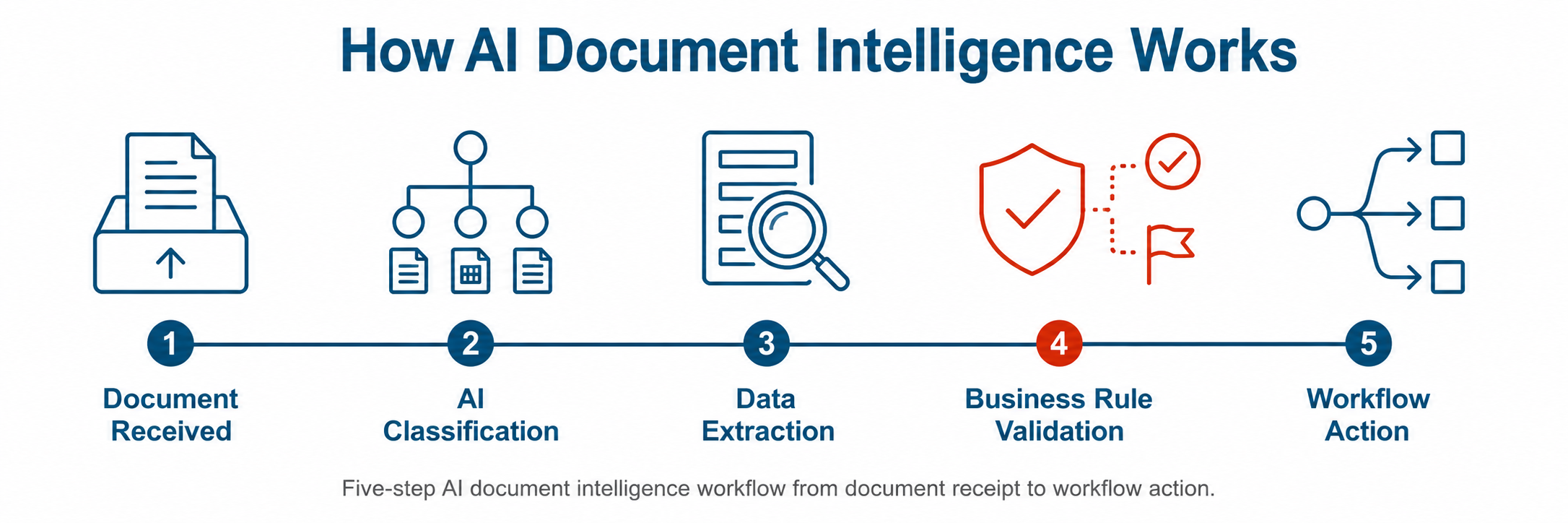
The opportunity is not only in saving data entry time. That is the basic benefit and the easiest one to measure. The bigger value is in reducing leakage, improving compliance, and speeding up customer-facing processes. A hospital claim can move faster. A vendor invoice can be checked before payment. A loan document can be reviewed with fewer misses. A contract can be scanned for risky clauses before it reaches legal. These are boring use cases. They are also exactly the kind of use cases where enterprises spend real money fixing mistakes made upstream.
Where Most Implementations Go Wrong
AI alone will not solve the problem.A document AI model may extract the fields correctly, but the business still needs rules, workflow, approval, exception handling, audit trail, and system integration. If the AI finds a mismatch, who gets notified? If confidence is low, where does the case go? If the document is approved, which system is updated? If an auditor asks later, can you show what was extracted, what was changed, and who approved it?
These questions are not technical edge cases. They are the core of how document-heavy operations actually run. Ignoring them at the implementation stage is why so many AI document projects deliver a proof of concept that never scales into production.
This is why document intelligence should not be treated as a standalone AI experiment. It has to be connected with automation. AI can read and reason. RPA, APIs, workflow engines, and business rules make the process actually run end to end. One without the other leaves significant value on the table. We have written more on how AI-powered automation brings these layers together in practice.
Where to Start: The Case for Document-Heavy Processes
For most enterprises, intelligent document processing is one of the safest and most practical areas to begin an AI implementation. Here is why.
The documents already exist. The manual effort is visible and measurable. The errors are traceable. Turnaround time is something business teams already track. And unlike many AI initiatives, you do not need to change how the business works on day one. You are augmenting an existing process, not replacing a human decision.
The industries where this matters most are also the ones with the highest document volumes: banking, insurance, healthcare, logistics, and manufacturing. In each of these, there are specific document types that sit at the centre of daily operations but have never been fully automated. Insurance TPA authorization forms. Material Test Certificates in manufacturing. Lorry receipts in logistics. Discharge summaries in healthcare. These are not exotic documents. They are the ones someone is processing manually, right now, in every large enterprise in these sectors.
The ROI case is straightforward. If a team of five people spends four hours a day on document extraction and validation, and AI can reduce that to one hour with fewer errors, the math is immediate. The harder question is not whether the ROI exists. It is whether the implementation is built to last.
The RPATech View
At RPATech, this is how we think about document intelligence: not as AI replacing people, but as AI absorbing the repetitive, low-judgment document burden so teams can spend more time on exceptions, high-stakes reviews, and customer interaction.
When we built <a href="https://docxtract.rpatech.ai/" target="_blank" rel="noopener">DocXtract</a>, the goal was not to build the most feature-rich extraction tool. The goal was to build something that a finance or operations team could actually put into production. That means extraction accuracy matters, but so does the audit trail. Exception handling matters, but so does how easy it is to connect the output to the downstream system. A platform that extracts well but sits outside the workflow is just a smarter data entry tool.
We have seen what happens when document AI is deployed as a point solution versus when it is connected to the actual process. The difference in adoption and measurable impact is significant. You can read more about the thinking behind DocXtract on <a href="https://www.rpatech.ai/blogs/why-we-built-docxtract-invoice-extraction-api/" target="_blank" rel="noopener">why we built it</a>.
What the Future Office Looks Like
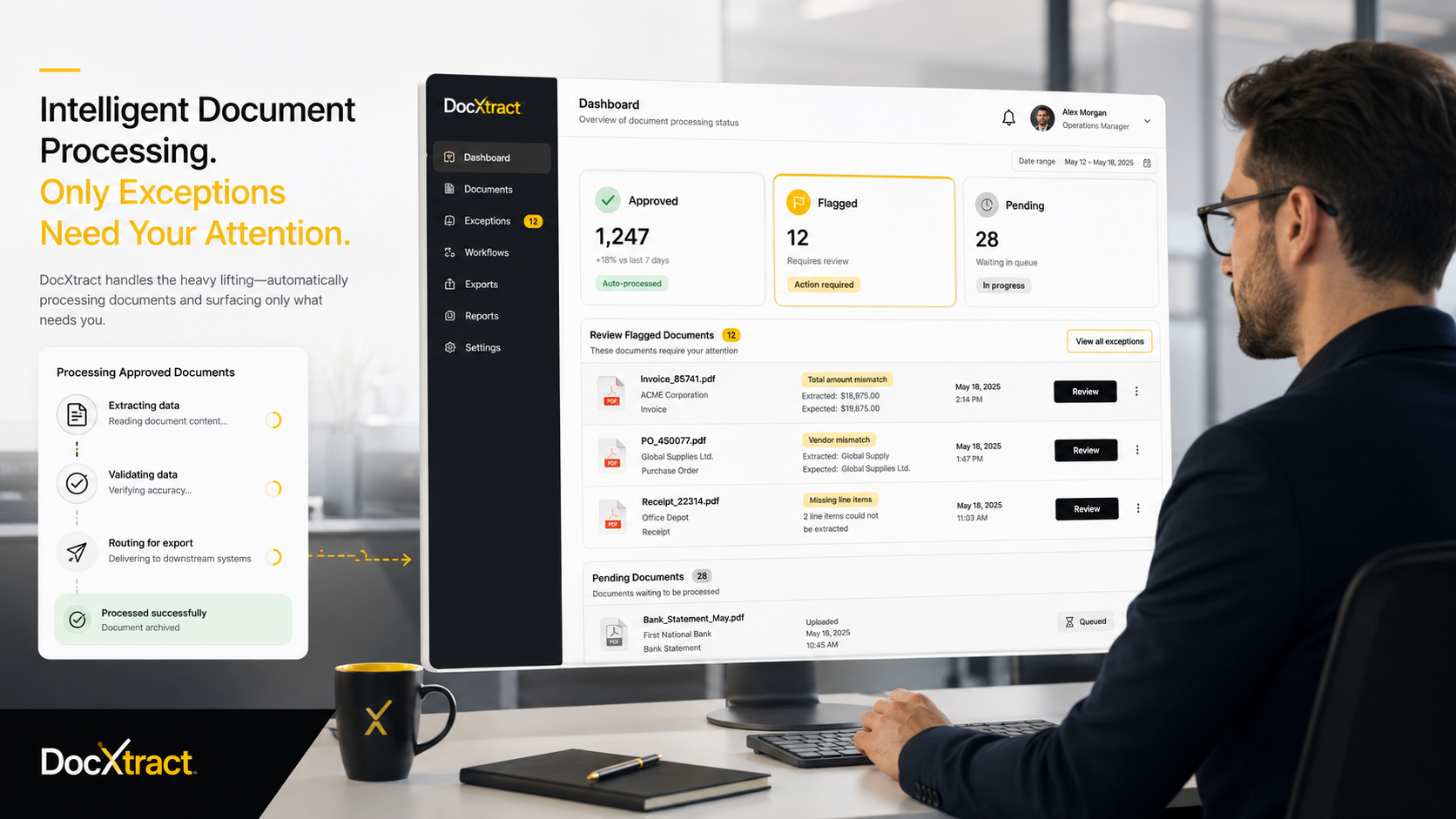
The future office will still have documents. That is not going to change. What should change is how many people spend their day manually reading, copying, checking, and chasing them.
AI adoption will not become real only through chatbots and copilots. It will become real when AI starts removing daily operational friction at the process level. Document-heavy workflows are one of the best places to begin because the pain is visible, the data is already there, and the path from pilot to production is clearer than in most AI use cases.
I think the companies that make progress here in the next two years will not be the ones with the biggest AI budgets. They will be the ones that picked a real problem, built the workflow around the AI output, and measured outcomes from day one.
If you want to explore how this applies to your specific document workflows, <a href="https://www.rpatech.ai/case-studies/" target="_blank" rel="noopener">our case studies</a> cover a few real implementations across BFSI, healthcare, and manufacturing. Or reach out directly. We are usually happy to talk through the specifics before anything else.